For this quick blog, let’s create a month hash object table containing the number and name of the month. Then, we are going to query this Hash Table object for a specific month.
1. Creating our Month Hash Table:
[sourcecode language=”powershell”]
$MonthHashTable = @{ `
[int] "1" = "January"; `
[int] "2" = "February"; `
[int] "3" = "March"; `
[int] "4" = "April"; `
[int] "5" = "May"; `
[int] "6" = "June"; `
[int] "7" = "July"; `
[int] "8" = "August"; `
[int] "9" = "September"; `
"10" = "October"; `
"11" = "November"; `
"12" = "December"; `
};
[/sourcecode]
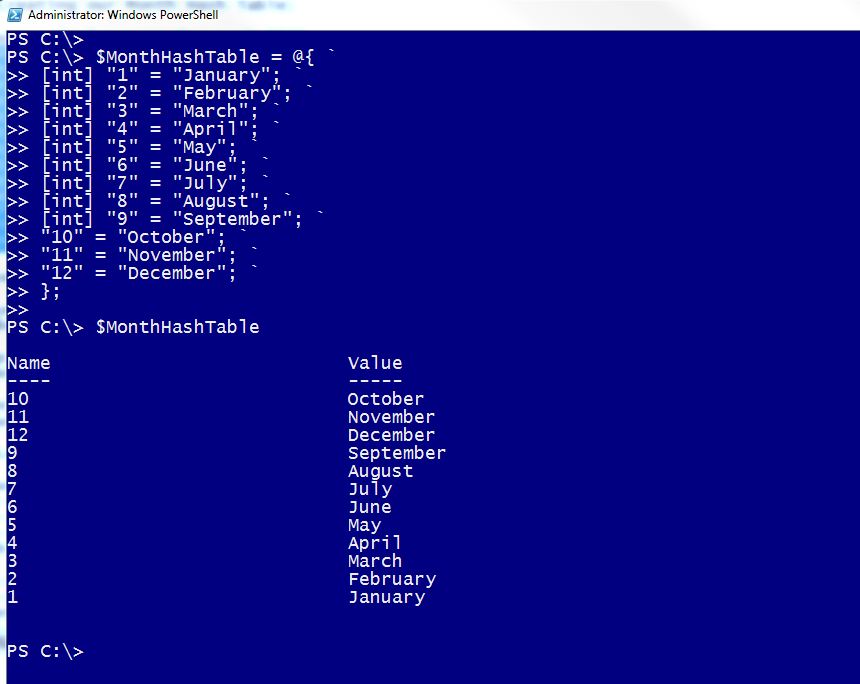
Notice in this example, we’ve assigned ‘Strong-typed’ values to most of the keys (month number) as Integer, and leaving the last three to default to a string data “data type“.
Keep in mind, in a Hash Table you have Keys, and Values. So, we are going to search for a ‘Key’ in order to get the ‘Value’ so we can extract the Month name.
Here’s the Hash Table Syntax for finding the value using the key:
$yourHashTable.Item( [#key#] )
2. Lets go and Looking for the fourth and eleventh month name:
[sourcecode language=”powershell”]
## —————————————-
## – Getting "April":
## – Value stored as Integer for "April":
$mth = 4;
## – Bad, passing a string value when expecting an Integer
## -> no key found, nothing to return:
$MonthHashTable.Item("4");
## – Good, getting month name using Integer value
## -> keys found, a values are returned:
$MonthHashTable.Item(4);
April
$MonthHashTable.Item($mth);
April
## —————————————-
## – Getting "November":
## – Value stored as Integer for "November":
$mth = 11;
## – Bad, passing an integer value when expecting a string
## -> no key found, nothing to return:
$MonthHashTable.Item(11);
## – Bad, passing an integer value when expecting a string
## -> no key found, nothing to return:
$MonthHashTable.Item($mth);
## – Value stored as String for "November":
$mth = "11";
## – Good, getting month name using String value:
## -> key found, a value is returned:
$MonthHashTable.Item($mth);
November
[/sourcecode]

As the sample show, we need to make sure the variable value must have the proper “data type” so it can find the key.
Happy PowerShelling!!